SPF, DKIM and DMARC Setup Guide for Small Businesses
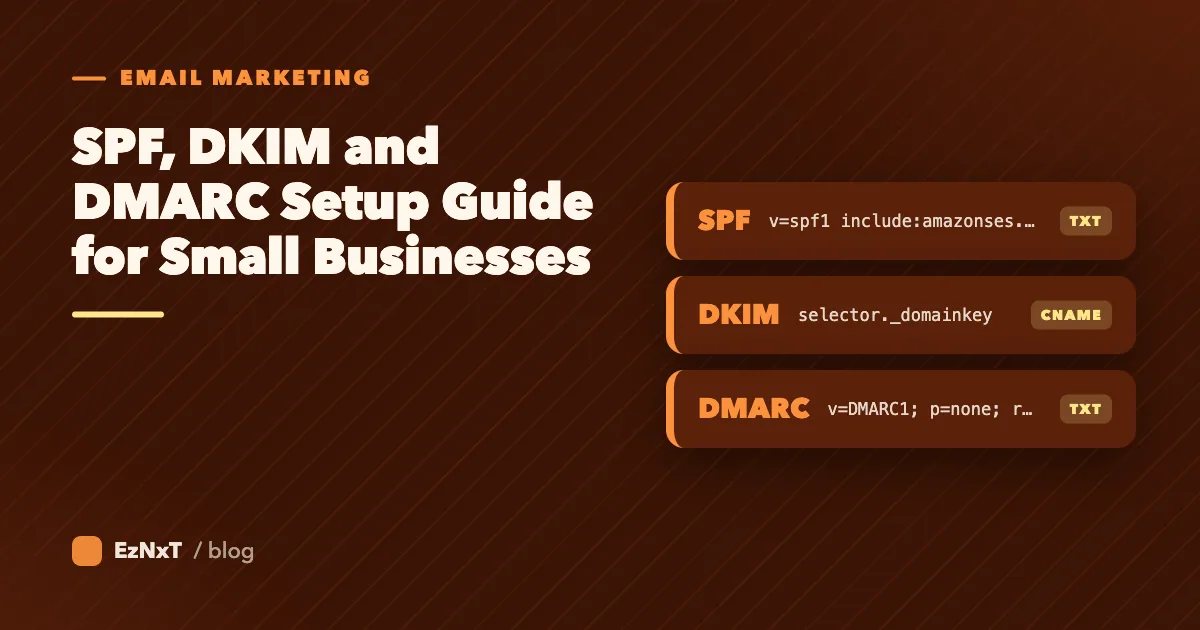
Quick answer: SPF, DKIM and DMARC are three DNS records that prove your email really comes from your domain. SPF lists the servers allowed to send for you. DKIM adds a cryptographic signature to each message. DMARC tells receivers what to do when a message fails those checks and sends you reports. Set up all three, starting DMARC at p=none.
Gmail, Yahoo and Outlook now require authentication from bulk senders, and unauthenticated mail increasingly lands in spam even at low volume. The setup takes under an hour in your domain’s DNS panel. Here is the order that avoids breaking your existing email.
What SPF, DKIM and DMARC each do
| Record | Checks | Where it lives |
|---|---|---|
| SPF | Is this server allowed to send for the domain? | TXT record on the domain |
| DKIM | Was the message signed by the domain and left unchanged? | TXT record at selector._domainkey.yourdomain.com |
| DMARC | Do SPF or DKIM pass and align with the From domain? What should happen if not? | TXT record at _dmarc.yourdomain.com |
Step 1: set up SPF
List every service that sends email using your domain: your mailbox provider, your SMTP server for campaigns, your helpdesk and your billing tool. Publish one SPF TXT record that includes them all. Example for Google Workspace plus one additional sending server:
v=spf1 include:_spf.google.com ip4:203.0.113.25 ~all- Only one SPF record per domain. Two records cause SPF to fail.
- SPF allows at most 10 DNS lookups; too many
include:entries break it. - Use
~all(soft fail) while testing, and-allonce you are sure the list is complete.
Step 2: set up DKIM
- In your email provider’s admin console, generate a DKIM key (use 2048-bit where supported). In Google Workspace this is under Apps → Google Workspace → Gmail → Authenticate email.
- Publish the TXT record it gives you at
selector._domainkey.yourdomain.com. - Return to the console and start authentication.
- Repeat for every other service that sends as your domain, such as your campaign SMTP server, with its own selector.
Step 3: set up DMARC safely
Publish a TXT record at _dmarc.yourdomain.com. Start in monitoring mode:
v=DMARC1; p=none; rua=mailto:dmarc-reports@yourdomain.com| Stage | Policy | When to move on |
|---|---|---|
| 1. Monitor | p=none | After 2–4 weeks of reports showing all legitimate senders pass |
| 2. Quarantine | p=quarantine | When no legitimate mail is being quarantined |
| 3. Reject | p=reject | Final state: spoofed mail is blocked |
DMARC passes only when SPF or DKIM passes and the authenticated domain aligns with the From address. That is why every sending service needs its own DKIM signature on your domain.
How to check your SPF, DKIM and DMARC records
- Send a test email to a Gmail address, open it, choose Show original, and confirm SPF, DKIM and DMARC all say PASS.
- Look up the records with
dig TXT yourdomain.comanddig TXT _dmarc.yourdomain.com, or Google Admin Toolbox. - Read the DMARC aggregate reports to spot services you forgot.
Once authentication passes, follow the sending practices in how to send bulk email without going to spam.
Frequently Asked Questions
Do I need all three: SPF, DKIM and DMARC?
Yes. Gmail and Yahoo require SPF and DKIM from all senders and DMARC from bulk senders, and each record covers a gap the others leave.
What DMARC policy should I start with?
Start with p=none and a reporting address. Move to quarantine and then reject once the reports show all your legitimate email passes.
Can I have two SPF records?
No. A domain must have only one SPF record. Combine all senders into a single record with multiple include: or ip4: entries.
How long do DNS changes take?
Usually minutes to a few hours, depending on the record’s TTL. Some providers can take up to 48 hours.
Do I set this up in EzNxT?
No. SPF, DKIM and DMARC are published in your domain’s DNS (where you bought the domain or host DNS). If you send campaigns through your own SMTP server with EzNxT Bulk Mailer, include that server in SPF and enable DKIM signing on it.
See EzNxT Bulk Mailer and free bulk email software, or manage contacts in EzNxT CRM.