How to Send Bulk Email Without Going to Spam: 10 Rules That Work
Quick answer: to send bulk email without going to spam, authenticate your sending domain with SPF, DKIM and DMARC, send only to people who agreed to hear from you, and include a one-click unsubscribe. Remove bounces straight away, increase volume gradually on a new domain, and keep spam complaints well below 0.3%. Inbox placement is earned by reputation, not by tricks in the subject line.
Since 2024, Gmail and Yahoo have enforced stricter rules for bulk senders, and Outlook followed in 2025. Businesses that used to blast an old contact list now find whole campaigns in spam. These ten rules fix that.
The sender rules mailbox providers enforce
| Requirement | Applies to |
|---|---|
| SPF and DKIM authentication for your domain | All senders (Gmail, Yahoo, Outlook) |
DMARC record (at least p=none), aligned with the From domain | Bulk senders (around 5,000+ messages a day) |
| One-click unsubscribe in marketing email, honoured within 2 days | Bulk senders |
| Spam complaint rate below 0.3% (aim for under 0.1%) | All senders |
| Valid forward and reverse DNS for sending servers | All senders |
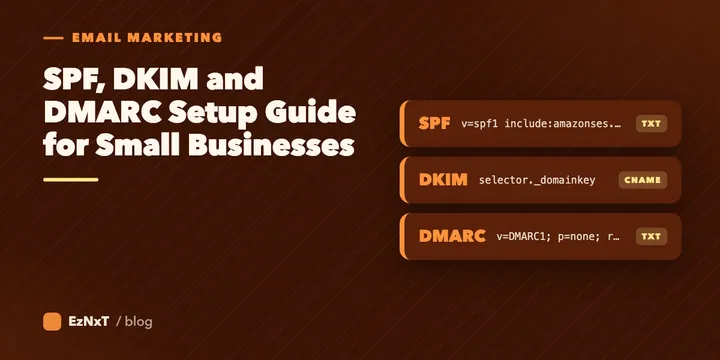
Set-up steps are in our SPF, DKIM and DMARC setup guide. Google’s current rules are on its email sender guidelines page.
How to send bulk email without going to spam: 10 rules
- Authenticate first. Publish SPF, DKIM and DMARC for the domain in your From address before the first campaign.
- Use a sending subdomain. Send campaigns from a subdomain such as
news.yourcompany.comso marketing reputation does not affect invoices and day-to-day email. - Send only to opted-in contacts. Bought or scraped lists produce complaints and spam traps. Consent also matters under India’s Digital Personal Data Protection Act.
- Clean the list before every send. Remove hard bounces, role addresses that never engage, and contacts with no opens or clicks in 6 to 12 months.
- Warm up new domains and servers. Start with your most engaged contacts and increase volume over two to four weeks.
- Make unsubscribing easy. A visible unsubscribe link plus the one-click header. People who cannot unsubscribe press “Report spam” instead.
- Keep a consistent schedule. Sudden spikes from a quiet domain look like spam.
- Write like a person. A clear subject line, real text (not one big image), few links, a working reply-to address and your business address in the footer.
- Personalise and segment. Relevant email gets opened; irrelevant email gets reported.
- Monitor reputation. Watch bounces, complaints and unsubscribes per campaign, and register your domain in Google Postmaster Tools.
Pre-send checklist
- SPF, DKIM and DMARC pass for the From domain
- List cleaned and bounces suppressed
- Unsubscribe link and one-click header present
- Plain-text version included
- Test email checked in Gmail and Outlook inboxes
- Send volume in line with recent campaigns
Bulk email vs cold email
Bulk email goes to people who signed up: customers, subscribers, event registrants. Cold email goes to people who did not. Cold outreach at volume is the fastest way to damage a domain. Keep it separate, small and personal, or do not do it from your main domain at all.
Frequently Asked Questions
Why do my bulk emails go to spam?
The usual causes are missing SPF, DKIM or DMARC, sending to old or purchased lists, high complaint or bounce rates, a sudden jump in volume, or no easy way to unsubscribe.
How many emails can I send per day without going to spam?
There is no safe fixed number. Reputation matters more than volume. Mailbox providers apply stricter rules once you send around 5,000 messages a day to their users, so authenticate and warm up before you reach that level.
Do I need DMARC to send bulk email?
Yes. Gmail and Yahoo require a DMARC record for bulk senders, and Outlook requires it for high-volume senders. Start with p=none and tighten it once reports look clean.
Is it legal to send bulk email in India?
Sending marketing email to people who have given consent is generally fine. Collect consent clearly, honour unsubscribe requests and protect personal data in line with the Digital Personal Data Protection Act.
Does EzNxT Bulk Mailer handle unsubscribes and bounces?
Yes. EzNxT Bulk Mailer includes bounce and unsubscribe management and works with your own SMTP server or EzNxT’s sending infrastructure.
See EzNxT Bulk Mailer, free bulk email software, and how contacts stay in sync with EzNxT CRM.