CRM vs Spreadsheet: When a Small Business Should Switch
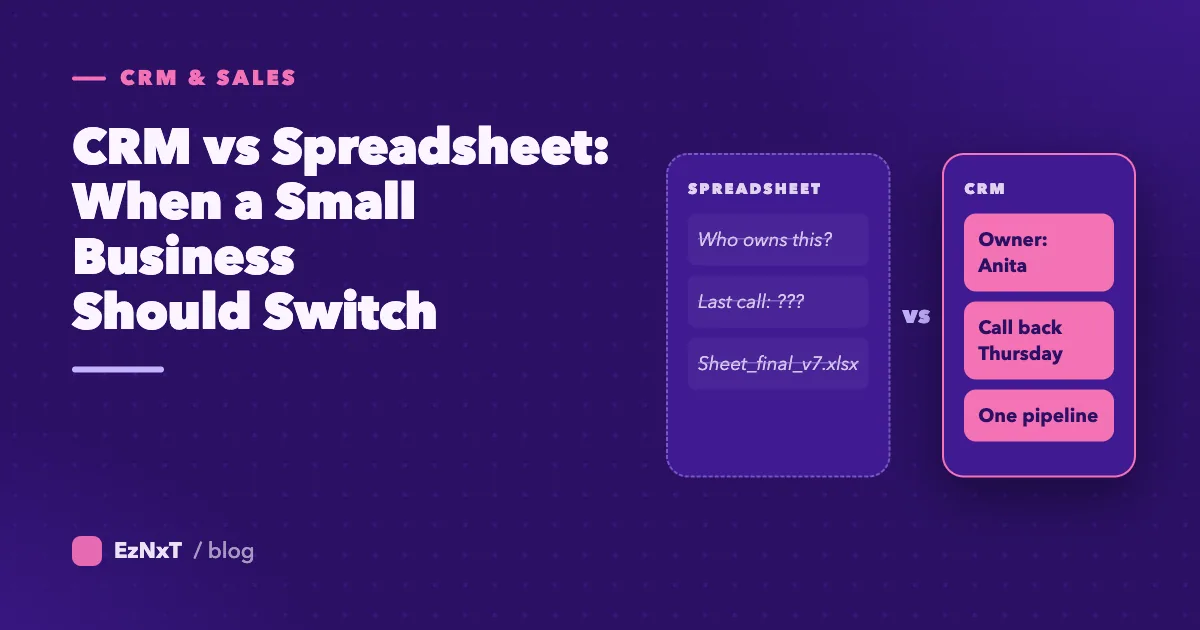
Quick answer on CRM vs spreadsheet: a spreadsheet works when one person handles a few dozen leads a month. Switch to a CRM when more than one person sells, follow-ups start slipping, you cannot see each lead’s history in one place, or reporting takes hours. A CRM stores every lead, conversation and reminder against one record, so deals stop depending on someone’s memory.
Almost every small business starts sales tracking in Excel or Google Sheets, and that is fine. The question is not whether spreadsheets are bad, but when they quietly start costing you deals.
CRM vs spreadsheet: side by side
| Spreadsheet | CRM | |
|---|---|---|
| Setup | Minutes | An hour or two (import, stages, users) |
| Follow-up reminders | Manual (or none) | Automatic, per lead and owner |
| History per lead | Notes column, often overwritten | Timeline of calls, emails, notes and deals |
| Several people editing | Conflicts and lost changes | Owners, permissions and audit trail |
| Duplicates | Common | Detected on import and entry |
| Pipeline view | Filter and sort | Visual stages with deal values |
| Reporting | Manual pivot tables | Live dashboards |
| From deal to invoice | Copy into another tool | Same customer record, when CRM and invoicing are linked |
Signs the spreadsheet is costing you deals
- A lead asks “did you get my message?” and nobody knows who replied.
- Follow-ups depend on someone remembering, and some leads never get a second call.
- Two salespeople contact the same lead, or nobody does.
- The sheet has multiple versions (“Leads_final_v3”).
- You spend Monday mornings building the sales report.
- When a salesperson leaves, their leads and context leave with them.
If three or more sound familiar, the spreadsheet has become the bottleneck. Our guide on how to track sales leads compares notebooks, WhatsApp, spreadsheets and CRMs in more detail.
When a spreadsheet is still enough
- One person handles sales, with fewer than about 50 active leads.
- Sales cycles are short (one or two conversations).
- You do not need reminders, history or reporting beyond a weekly glance.
Moving from spreadsheet to CRM in 7 steps
- Clean the sheet: one row per lead, separate columns for name, company, phone, email, source, owner, stage and next follow-up date.
- Remove duplicates by phone and email.
- Define 5 to 7 pipeline stages, such as New → Contacted → Qualified → Proposal → Won / Lost.
- Import the CSV and map columns to CRM fields.
- Assign an owner to every open lead.
- Set the next follow-up for every open lead, so nothing starts the CRM overdue.
- Stop updating the spreadsheet from day one, keeping a read-only copy for reference.
Choosing a tool? See free CRM software for India, lead management software, or our comparison of the best free CRM software in India.
Frequently Asked Questions
Is a spreadsheet a CRM?
A spreadsheet can store customer data, but it lacks what makes a CRM useful: reminders, activity history, ownership, a pipeline view and live reporting.
When should a small business switch from Excel to a CRM?
When more than one person sells, follow-ups are being missed, or you regularly lose track of where a lead stands. For many teams that happens at around 50 active leads or the second salesperson.
Is CRM software expensive for small businesses?
It does not have to be.Free for up to 10 users.
Can I import my existing Excel leads into a CRM?
Yes. Clean the sheet, save it as CSV and import it, mapping each column to a CRM field.
Will my team actually use a CRM?
Adoption improves when the CRM replaces the spreadsheet completely, follow-up reminders are switched on, and managers review the pipeline in the CRM rather than asking for a separate report.
See EzNxT CRM and how deals turn into invoices with CRM with GST invoicing.